 Voidscope
Explore your data universe
A free database studio for PostgreSQL, MySQL / MariaDB and SQLite. It lives on your own computer, locks your passwords in an encrypted vault, and asks for two-factor proof before it lets you change a single row.
Features
Everything you reach for.
Nothing you don't.
A calm, dark workspace for looking at data, shaping tables and fixing mistakes safely.
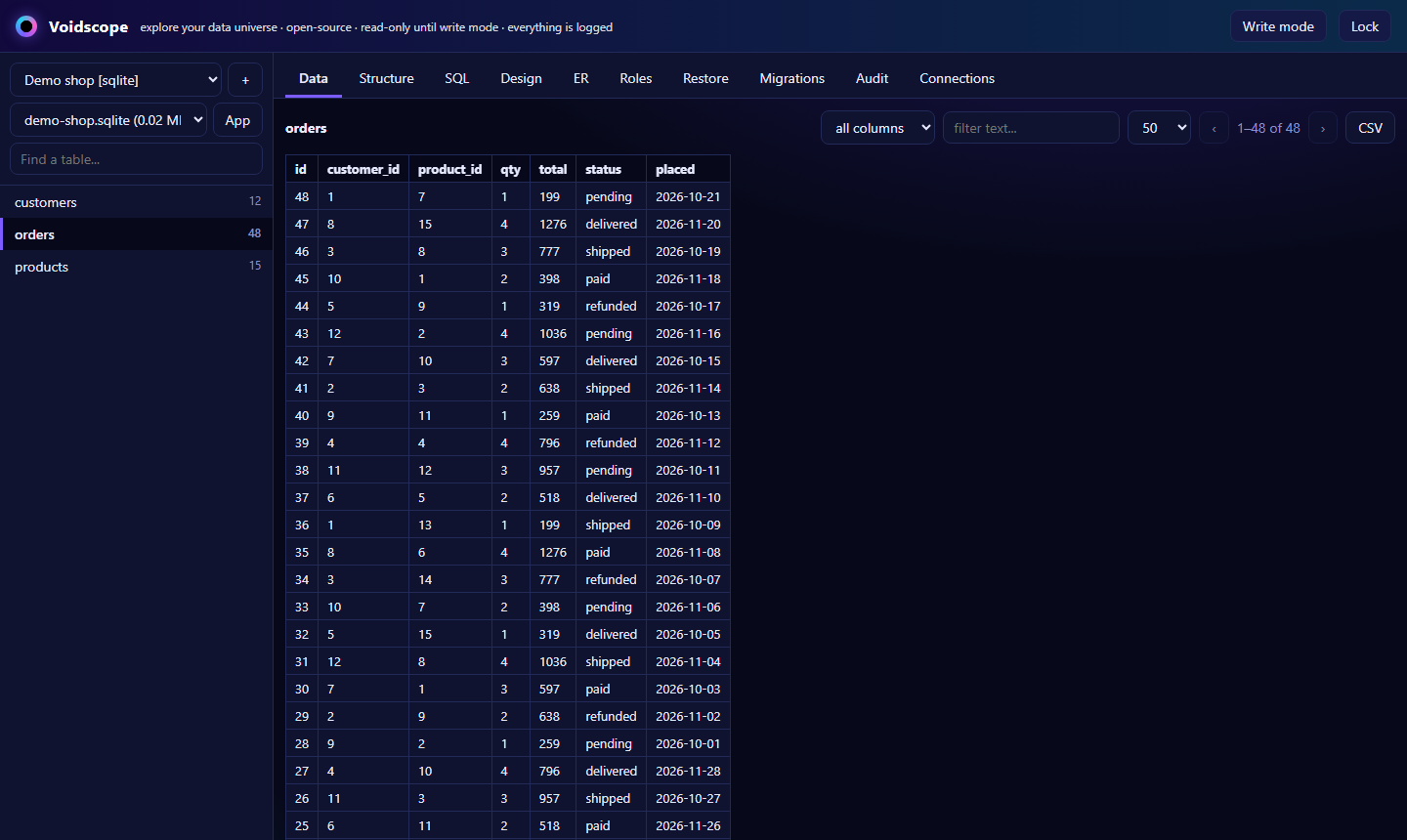
Browse & search
Databases, schemas and tables in a tree. Sort, filter, page through rows and export CSV. Keys, indexes and structure at a glance.
SQL editor
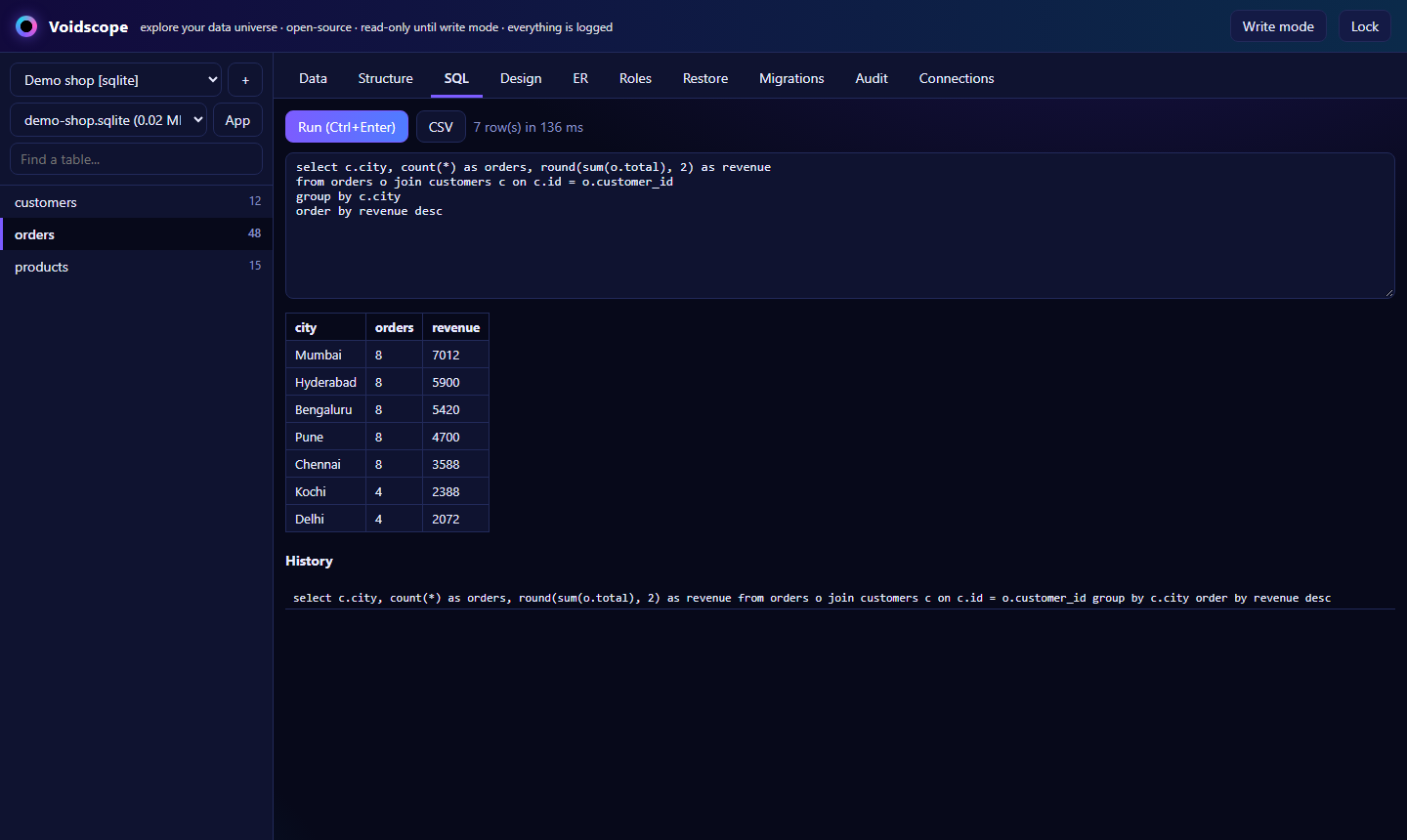
Run queries with Ctrl+Enter, keep a history, export results. Reading is locked to safe, read-only statements.
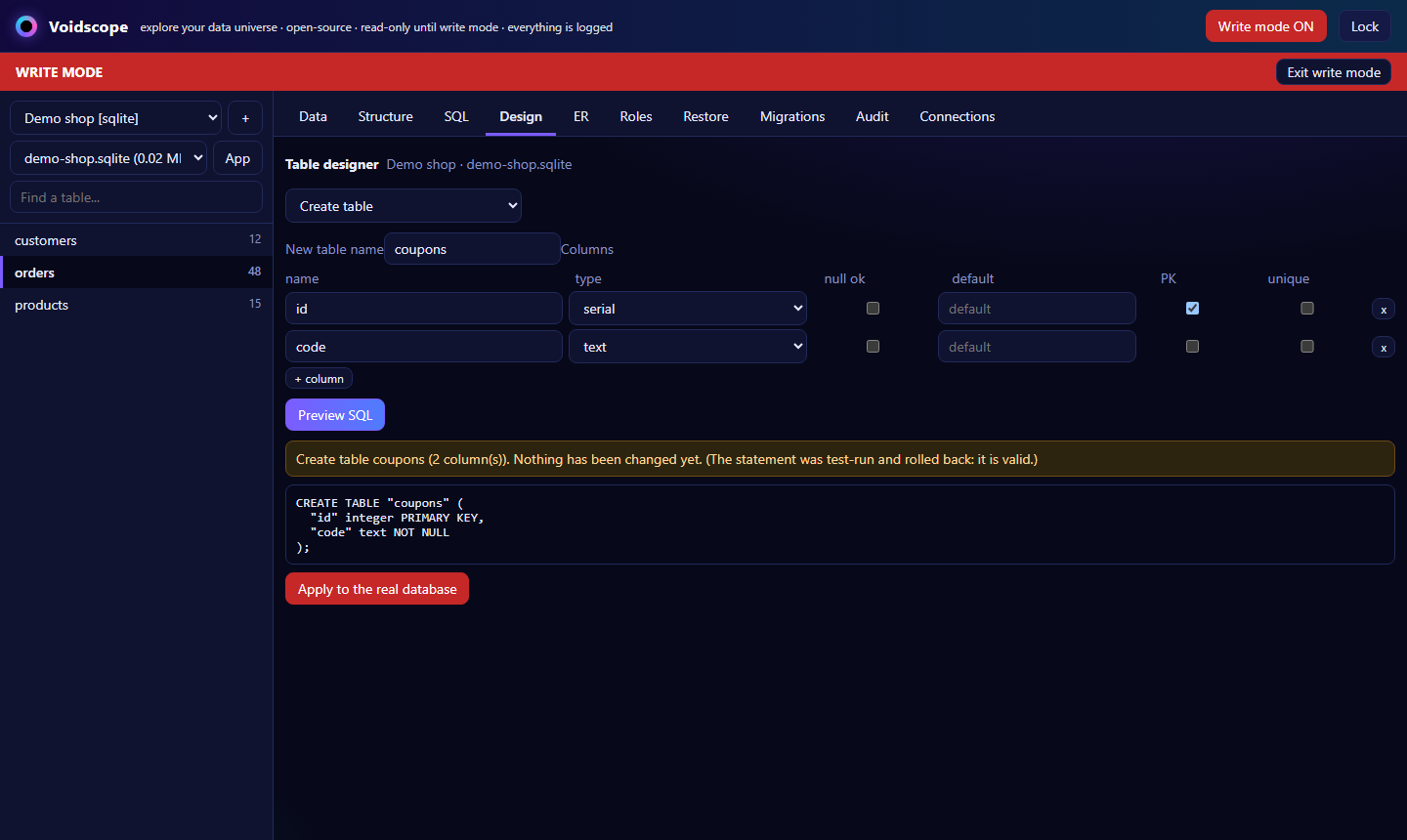
Table designer
Create and alter tables, columns and indexes with a form. See the exact SQL first, test-run and rolled back before you apply.
Restore, not regret
An encrypted copy of the table is saved before every risky change. Bring back deleted rows, undo edits, re-create a dropped table.
ER diagram
See how tables link through foreign keys, drawn straight from your live schema.
One app per database
Turn any database into its own app with an icon and tag. It opens only that database.
Optional sync
Skip accounts and stay fully local, or sign in to carry your connections and apps to your other computers. End-to-end encrypted.
Run it your way
A desktop app, a Docker container or a browser tab on localhost. Same app, same data folder.
Tamper-evident audit
Every query and write is logged in a hash chain, so an edited log shows up as broken instead of silently lying.
Table designer
Shape tables without fear
Pick an operation, fill a form, read the SQL. Voidscope runs it inside a transaction and rolls it back, so you know it is valid before anything real changes.
- Create, alter and drop tables, columns and indexes
- Destructive steps need the table name typed out
- Every change saved as an UP + DOWN migration file
Restore
Undo the un-undoable
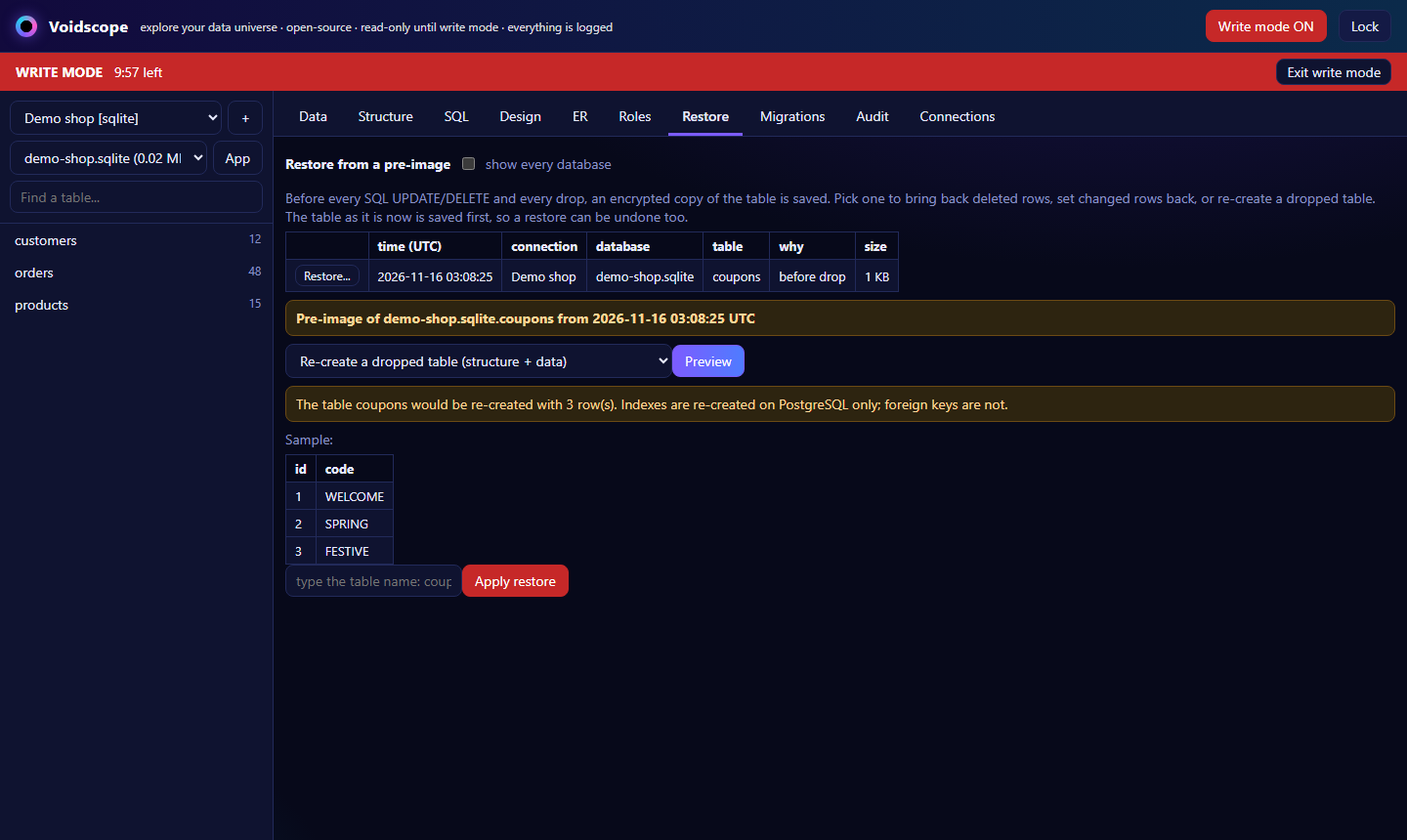
Before every UPDATE, DELETE or drop, an encrypted snapshot of the table is saved. Dropped a table by mistake? Two clicks and it is back, rows and all.
- Bring back deleted rows, or set changed rows back
- Re-create a dropped table with its data and indexes
- Restoring saves a snapshot first, so even that can be undone
Apps
Give a database its own app
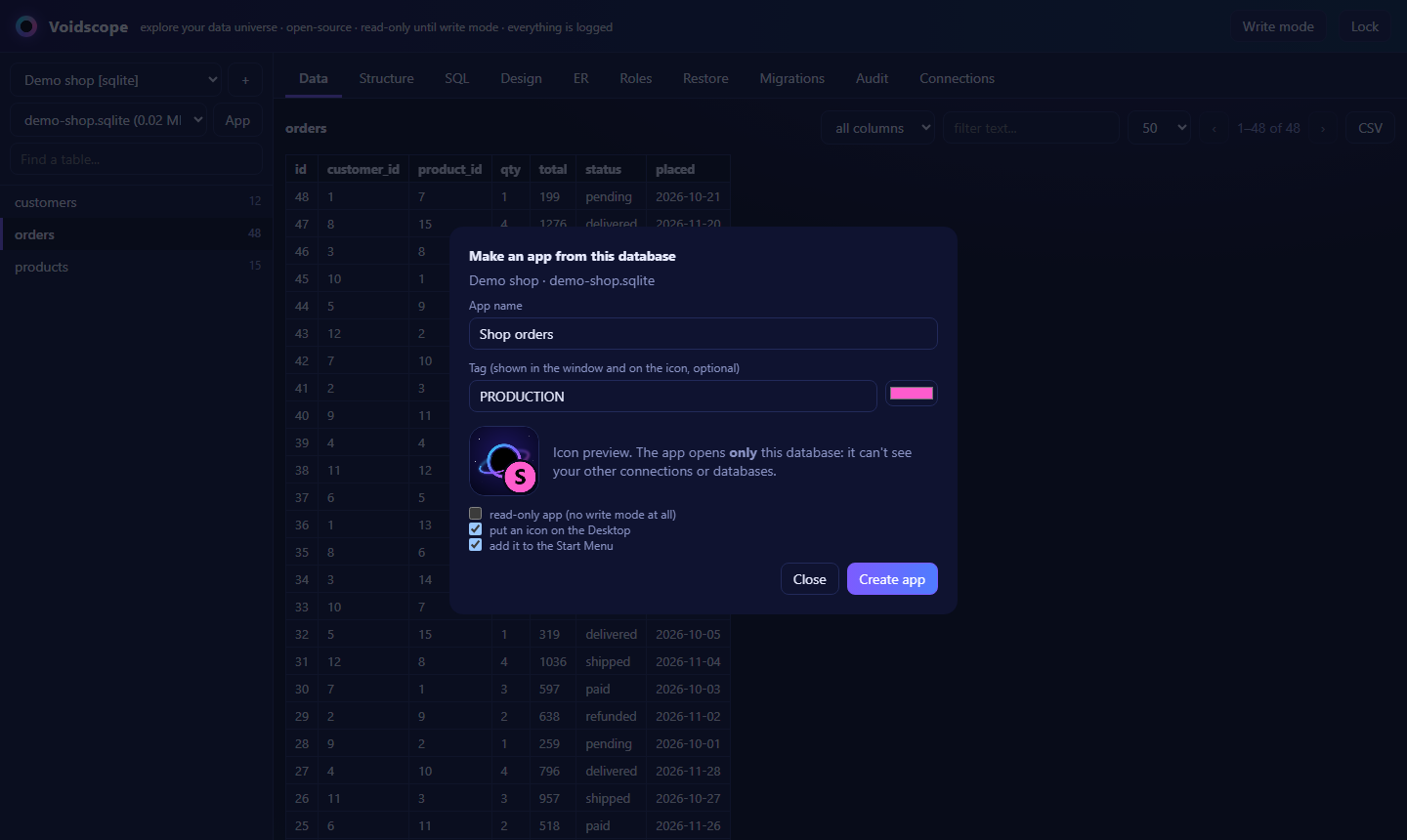
Right-click a database, name it, pick a colour tag. Voidscope makes a real app with its own icon and window, installed on your computer. It opens that one database and nothing else.
- Desktop and Start Menu icons, created for you
- Sees only its own database. Other connections stay out of reach
- Optional read-only app and a PRODUCTION-style tag so you never edit the wrong one
Write mode
How a change stays safe
Reading is the default. Changing data is a deliberate, six-step path, and every step leaves a trace.
Prove it
Password and a fresh authenticator code
Preview
See the exact SQL and row count
Test-run
Executed, then rolled back
Confirm
Type the count or the name
Snapshot
Encrypted pre-image saved
Commit & log
Applied and written to the audit chain
Security
Careful by default
Your databases matter more than your tools. Voidscope assumes mistakes and thieves both exist.
Two-factor to open
Master password plus a one-time authenticator code that works only once. Six wrong tries lock it for ten minutes.
Encrypted vault
Saved passwords live in an AES-256-GCM vault. Its key exists on disk only wrapped by your master password (scrypt). A stolen disk shows nothing.
Read-only reading
Read-only transactions, one safe statement at a time. Columns named like passwords or tokens are hidden and cannot be searched.
Guarded writes
Separate write mode with its own password + code, a per-connection switch, a ten-minute idle limit, and no UPDATE or DELETE without a WHERE.
Local by design
Listens on 127.0.0.1 only and rejects unknown host names. No telemetry. Nothing leaves your machine unless you switch on optional sync.
Hardened desktop app
No Node.js inside the page, a strict content policy, every permission prompt denied, external links open in your browser.
Databases
Works with what you run
Drivers are small, separate files. Adding another database is a weekend, not a rewrite.
PostgreSQL
TestedSchemas, roles, designer, restore, ER diagram. Tested end to end against a real server.
SQLite
TestedAny file on disk. Opened read-only until write mode. Designer and restore included.
MySQL / MariaDB
ExperimentalSame engine code path as PostgreSQL, not yet run against a live MySQL server in our tests.
On the roadmap: MongoDB, SQL Server, multi-user accounts.
Get it
Free, and yours to keep
Build the desktop app once, or run it in your browser. MIT licensed, no strings.
1Download the source
Version 0.1.0, under 1 MB, no tracking. Needs Node.js 22 or newer.
2Desktop app
An app with its own window and icon.
cd desktop
npm install
npm run build
On Windows, install-windows.ps1 adds Start Menu and Desktop shortcuts.
3Or in your browser
Opens on http://127.0.0.1:4980.
npm install
node server.js
First run: choose a master password and scan the 2FA code.
FAQ
Questions
Is it really free?
Yes. MIT licensed, no telemetry, no paid tier. Your databases are never uploaded anywhere.
Do I need an account?
No. You can skip it forever and everything stays on your computer. An account (e-mail, optionally a phone number) only adds sync: sign in on a new computer and your connections and apps appear there, shortcuts included.
What does the sync server know?
Your e-mail address and when you sign in. Your connections, passwords and apps are encrypted on your computer with a key made from your account password before they are uploaded, so the server only stores ciphertext. Forget that password and the synced copy cannot be opened (your local data is unaffected).
Which databases work?
PostgreSQL and SQLite are tested end to end. MySQL / MariaDB uses the same code path but is still experimental. More drivers are small files, see drivers/ in the source.
What if I forget the master password?
It cannot be recovered, by design: the vault key is derived from it. Delete auth.json and vault.json in your .voidscope folder to start over. Your databases are never touched.
Can a team use it on a server?
It is a single-user tool. For remote use put HTTPS in front of it and add the host name to allowedHosts. Multi-user accounts are not built yet.
Why does Windows warn me about the app?
The desktop build is not code-signed yet, so Windows SmartScreen may warn the first time. You build it yourself from the source you can read.